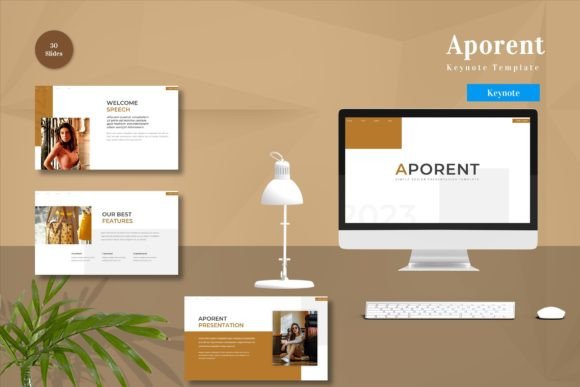
Aporent - Keynote Template for Presentations
Creating a compelling presentation often feels like balancing on a tightrope between design and content. You have important data to share, but the visual delivery can make or break your message. This is where the Aporent - Keynote Template steps in as a powerful solution for anyone looking to elevate their slides without spending hours on graphic design. Whether you are pitching a startup idea, teaching a class, or summarizing quarterly results, having a professional foundation allows you to focus on what truly matters: your story.
The core appeal of this template lies in its flexibility. It is not just a static background; it is a dynamic tool designed for real-world use. Every element within the Aporent - Keynote Template is fully editable. You can input your specific content, swap out placeholder images with your own high-quality photos, and adjust the color palette to match your brand identity. Furthermore, the inclusion of animated slides ensures that your presentation moves fluidly from one point to the next, keeping your audience engaged rather than bored by static text blocks.
Why Professionals Choose Aporent for Their Slides
In today's fast-paced digital environment, attention spans are short. A cluttered or poorly designed slide deck can lose an audience before you even finish your opening sentence. The Aporent - Keynote Template addresses this by offering a clean, vector-based structure that looks crisp on any screen size. Because it is built on master slides, changes you make to fonts, colors, or layouts propagate automatically throughout the entire deck. This consistency is crucial for maintaining a professional image, especially when presenting to investors, clients, or stakeholders.
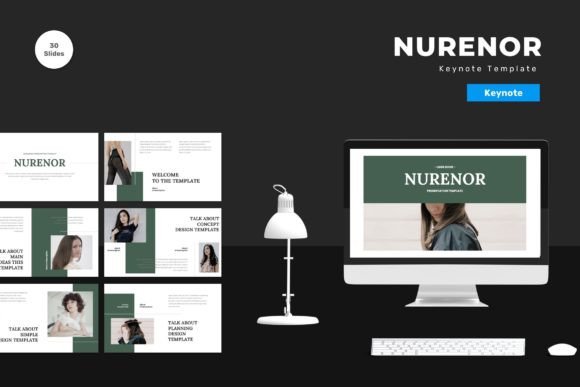
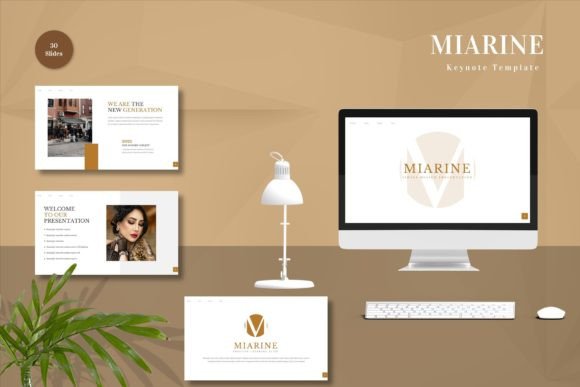
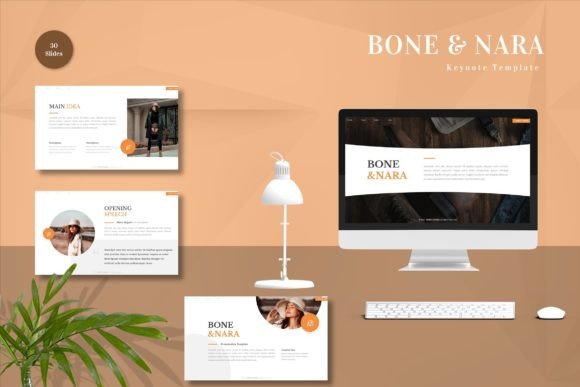
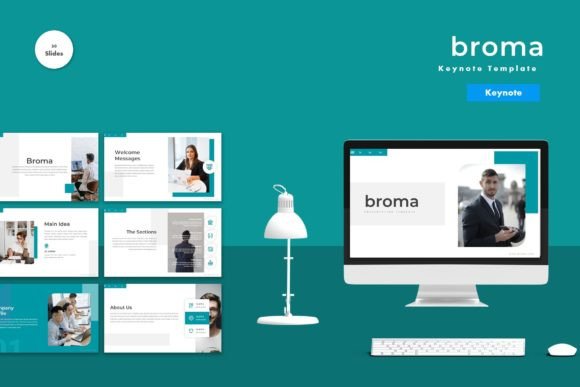
One of the most significant advantages is the sheer volume of options provided. With 150 total slides included in the package, you rarely need to start from scratch. These slides cover a wide range of scenarios, from detailed financial charts and timeline infographics to team introductions and product showcases. Among these, there are 30 particularly useful slides tailored for common business needs, ensuring that you have a ready-made layout for almost every section of your narrative. This variety saves time and reduces the stress of formatting, allowing you to move quickly from planning to presenting.
Customization Made Simple
Design software can be intimidating for beginners, but the Aporent - Keynote Template simplifies the process significantly. It utilizes a "just drag and drop" approach, meaning you do not need advanced technical skills to achieve professional results. If you need to change the theme, the template comes with 5 premade colors. Switching between these palettes is instant, letting you see how different tones affect the mood of your presentation. Perhaps you want a bold, energetic look for a marketing launch, or a calm, neutral tone for an educational workshop; the five color schemes provide versatile starting points.
Typography also plays a vital role in readability. The template recommends free web fonts that are easy to read and aesthetically pleasing. Since these fonts are standard and widely available, you avoid the risk of missing characters when sharing your file with others. The "Readme First" guide included in the download provides clear instructions on how to implement these fonts and manage the overall design, ensuring that even first-time users feel confident navigating the file.
Practical Use Cases for Business and Personal Goals
The versatility of the Aporent - Keynote Template makes it suitable for a diverse range of users. Entrepreneurs can use it to craft investor pitch decks that highlight growth potential and market analysis with clarity. Small business owners might utilize the infographic slides to explain service packages or operational workflows to new employees. For educators and trainers, the animated transitions help break up complex lessons into digestible segments, making learning more interactive.
Beyond the corporate world, freelancers and creative professionals find great value in this tool. A graphic designer can showcase their portfolio using the image-heavy layouts, while a blogger might use it to summarize research findings for a conference. Even hobbyists organizing a community event or a family reunion can leverage the personal-friendly layouts to create memorable visual summaries. The widescreen format ensures compatibility with modern projectors and large monitors, which are standard in most meeting rooms and classrooms today.
Consider a scenario where a marketing manager needs to present a new campaign strategy. Instead of struggling to align icons and resize charts, they open the Aporent - Keynote Template, select the relevant marketing slides, and simply replace the dummy text with their campaign metrics. They swap the stock photo with a screenshot of their website, choose the brand color from the five premade options, and hit play. The result is a polished, cohesive presentation that took minutes to assemble rather than days.
What Is Included in Your Download
When you decide to get the Aporent - Keynote Template, you receive a comprehensive toolkit designed for immediate use. The package includes 5 Keynote files, each corresponding to one of the five premade color themes. This means you can instantly test different looks without manually recoloring elements. Each file is optimized for widescreen displays, ensuring your content fills the screen perfectly without awkward black bars or distorted images.
It is important to note that while the template is feature-rich, the preview images shown in marketing materials are for demonstration purposes only and are not included in the final download. You will need to supply your own imagery to complete the visual story. However, the placeholders are clearly marked, making it obvious where your content belongs. Additionally, the Readme Information file serves as your manual, guiding you through the setup process and explaining how to unlock all the features, including the animated transitions.
Key Considerations Before You Start
Before diving into your presentation, take a moment to review the requirements. Since this is a Keynote-specific template, ensure you have access to Apple Keynote software on your Mac, iPad, or iPhone. While the concepts of design are universal, the file format is native to the Apple ecosystem. If you work primarily in Google Slides or PowerPoint, you may need to convert the file, though some formatting adjustments might be necessary during that process.
Another consideration is the quality of your own assets. The template provides a beautiful frame, but the pictures and data you insert must be of high resolution to maintain that professional look. Blurry images or pixelated charts can undermine the sleek design of the vector-based slides. Take the time to gather your best visuals and organize your data before opening the file. This preparation will streamline your workflow and allow you to focus on refining your message rather than hunting for files mid-presentation.
Ultimately, the Aporent - Keynote Template is about empowering you to communicate effectively. It removes the barriers of design complexity and gives you the freedom to express your ideas with confidence. Whether you are a seasoned executive or a student preparing for a final project, the ability to create stunning, animated, and fully customizable slides at the click of a button is a valuable asset. By choosing a tool that balances aesthetics with functionality, you ensure that your audience remembers your words long after the presentation ends.