Modiac - Google Slide Template for Professional Presentations
In the fast-paced world of business and creative entrepreneurship, the difference between a presentation that gets ignored and one that drives action often comes down to visual clarity. You might have groundbreaking ideas or robust data, but if your slides look cluttered or outdated, your message gets lost. This is where the Modiac - Google Slide Template steps in as a powerful tool for anyone who needs to communicate effectively without spending hours on design software. It isn't just about making things look pretty; it is about leveraging modern typography and layout principles to ensure your audience stays engaged from the first slide to the final call to action.
Whether you are a marketer pitching a new campaign, a small business owner presenting quarterly results, or a content creator sharing a personal project, the pressure to deliver high-quality visuals is real. The Modiac template addresses this by offering a structured yet flexible environment where your content takes center stage. By focusing on clean lines, balanced whitespace, and intelligent use of color, it helps transform raw information into a compelling narrative. Unlike generic templates that force you to fit your content into rigid boxes, this solution is built to adapt to your specific needs, allowing for seamless customization while maintaining a cohesive brand identity.
Visual Personality and Design Philosophy
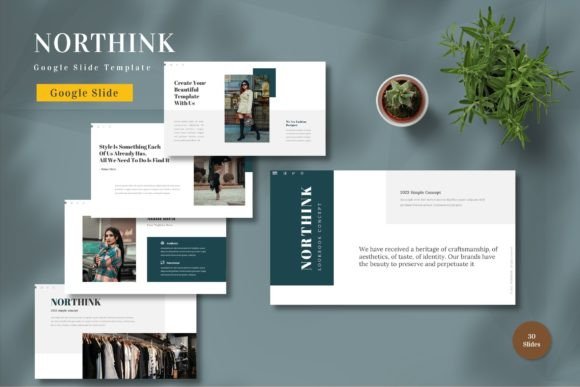
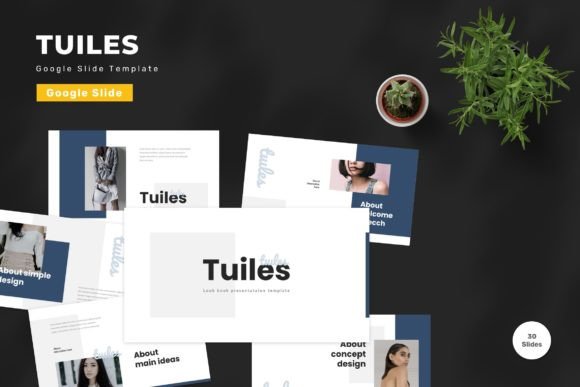
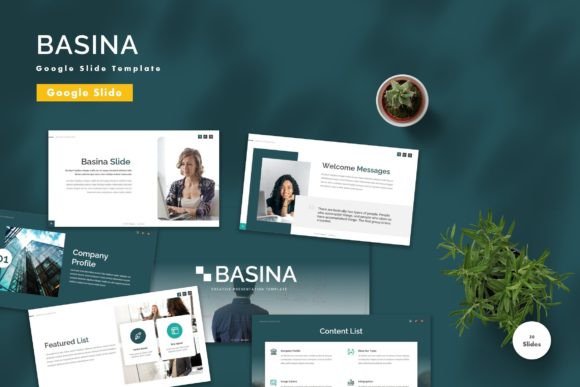
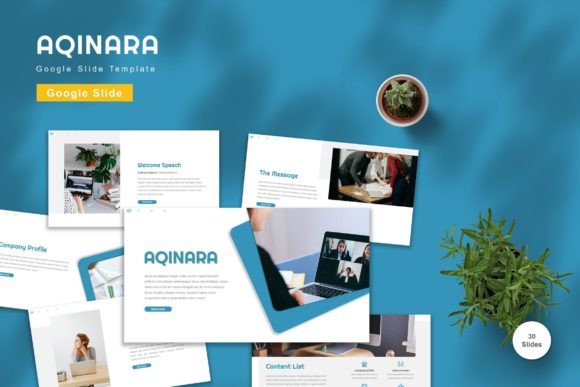
The appeal of the Modiac - Google Slide Template lies in its versatility and its adherence to contemporary design standards. It avoids the trap of over-decoration, which can often distract from the core message. Instead, it embraces a minimalist aesthetic that prioritizes readability and impact. The template features a widescreen format, which is essential for modern displays and projectors, ensuring that your graphics and text are never cramped or distorted.
One of the standout characteristics is the inclusion of five premade color schemes. These aren't just random palettes; they are curated to work harmoniously together, providing a solid foundation for various moods and industries. Whether you need a bold, energetic look for a startup pitch or a more subdued, professional tone for a corporate report, these options allow you to instantly set the right atmosphere. The vector-based master slides ensure that every element remains crisp, regardless of how much you scale it up or down. This attention to detail reflects a deep understanding of how digital assets should behave in a professional setting.
Furthermore, the integration of recommended free web fonts means you don't have to worry about licensing issues or compatibility problems. The typography choices within the template are designed to enhance visual hierarchy. Headings stand out clearly, body text is easy to scan, and captions provide necessary context without overwhelming the viewer. This thoughtful approach to typeface selection ensures that your presentation feels polished and intentional, rather than haphazardly assembled.
Applications Across Creative and Commercial Projects
While the primary function of this tool is for slide presentations, the underlying design principles make it applicable to a wide range of projects. For designers and brand strategists, the Modiac template serves as an excellent starting point for creating consistent visual systems. The structure encourages a disciplined approach to layout, which is crucial when developing brand guidelines or editorial designs.
Consider a scenario where a marketing team needs to create social media graphics alongside their pitch deck. The consistent use of colors and spacing in the Modiac template can be easily adapted for Instagram carousels, LinkedIn posts, or even email newsletters. This cross-platform consistency strengthens brand recognition. Similarly, entrepreneurs looking to refine their logo design or packaging design can use the template's grid system to test different layouts and compositions before committing to print.
For publishers and bloggers, the ability to present complex data in a visually appealing way is invaluable. The 30 useful slides included in the package cover a variety of common presentation needs, from timelines and process flows to team introductions and financial charts. These elements are not just decorative; they are functional tools that help break down information into digestible chunks. When used correctly, they can significantly improve audience engagement by reducing cognitive load and guiding the viewer through your story logically.
Enhancing Readability and Brand Perception
A well-designed presentation does more than inform; it persuades. The way you present your content influences how your audience perceives your professionalism and credibility. The Modiac - Google Slide Template leverages the power of visual hierarchy to direct attention exactly where you want it. By using contrasting sizes, weights, and colors, it creates a natural flow that leads the eye through the key points of your argument.
Readability is paramount in any communication medium. In a presentation, where the audience is often multitasking or trying to absorb large amounts of information quickly, clear typography and uncluttered layouts are non-negotiable. The template's use of sans serif fonts for body text ensures legibility on screens of all sizes, while display fonts or script fonts can be used sparingly for headings to add personality. This balance between functionality and style is what separates amateur presentations from those that command respect.
Moreover, consistency in design builds trust. When every slide follows a coherent visual language, it signals to your audience that you are organized and detail-oriented. This extends beyond the slides themselves to your overall brand identity. Using a template like Modiac allows you to maintain this consistency across multiple decks and projects, reinforcing your brand's voice and values. It eliminates the risk of accidental design errors that can undermine your authority.
Practical Guidance for Implementation
Getting started with the Modiac template is straightforward, thanks to its user-friendly structure. The package includes five Google Slide files, each corresponding to one of the premade colors. Before diving in, it is highly recommended to review the included Readme file. This document provides essential instructions on how to edit the master slides, replace placeholder images, and customize the color palette to match your specific requirements.
When customizing the template, start by inputting your content into the editable text boxes. Avoid simply pasting walls of text; instead, use the provided bullet points and icons to break up information. If you need to add images, take advantage of the drag-and-drop functionality. Ensure that your images are high-resolution to maintain the professional quality of the vector-based elements. Remember, the goal is to enhance your message, not obscure it.
Testing font pairings is another critical step. While the template comes with recommended fonts, feel free to experiment with other options if they better suit your brand. However, always prioritize readability. A creative font might look great on a poster, but it could be difficult to read on a projector screen. Stick to established typefaces for body text and reserve more stylized options for titles or accents. Additionally, consider the commercial licensing of any additional fonts you introduce to avoid legal complications.
Finally, don't forget the animated slides included in the package. Animation can be a powerful tool for revealing information progressively, keeping your audience focused on the current point rather than reading ahead. Use these animations judiciously; they should support your narrative, not distract from it. With 150 total slides at your disposal, you have ample room to craft a dynamic and engaging presentation that meets both your business and personal needs. By taking the time to understand and utilize these features effectively, you can elevate your presentations from ordinary to extraordinary.